> ## Documentation Index
> Fetch the complete documentation index at: https://docs.grdd.dev/llms.txt
> Use this file to discover all available pages before exploring further.
# Home page
# Managing Your Public Home Page
## Overview
Your public home page is the first impression potential customers have of your business. This guide walks you through customizing and optimizing your home page for maximum impact.
## Step-by-Step Guide
### 1. Accessing Your Home Page Settings
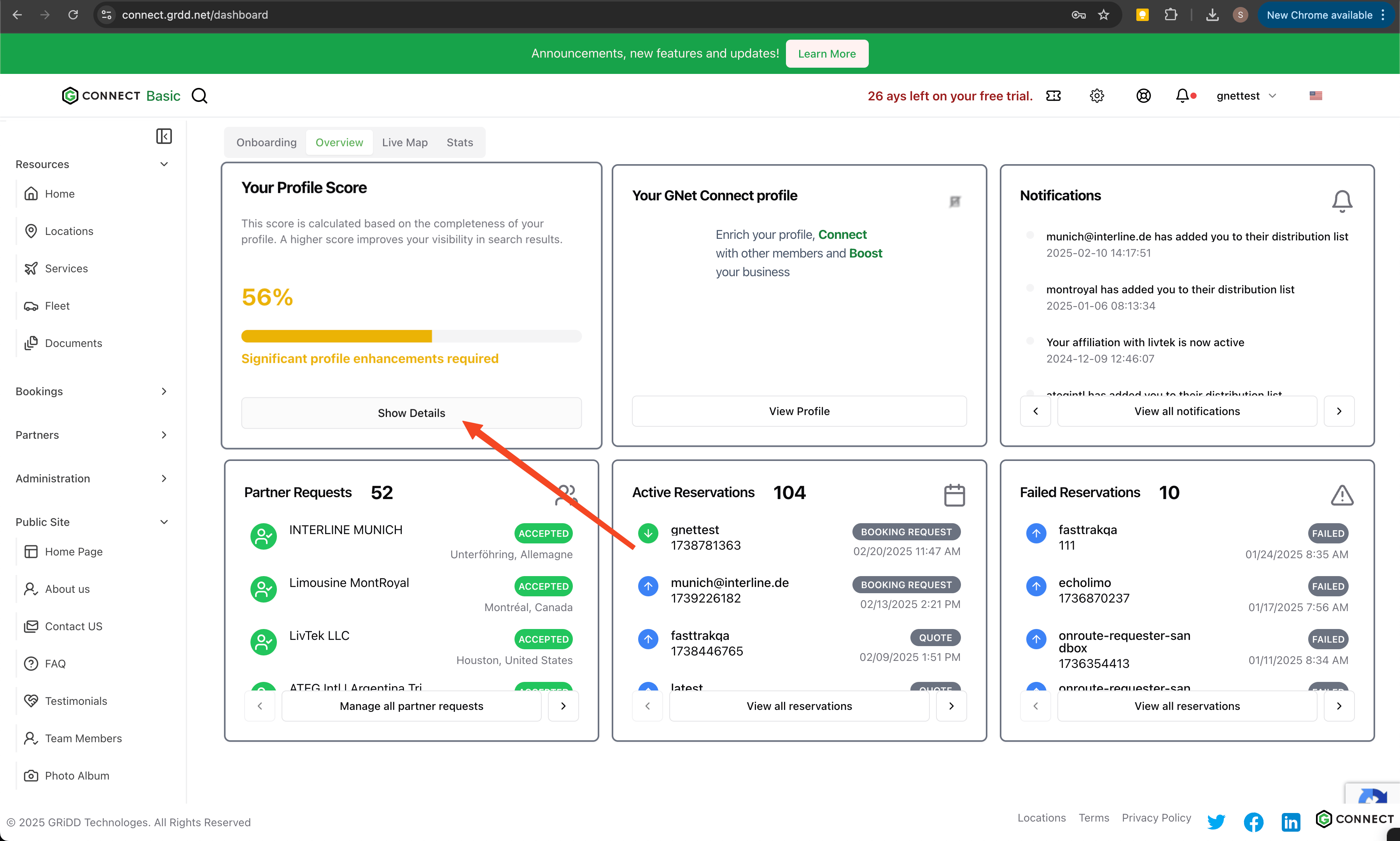
Click on "show details" in the score card to view your profile details.
 ### 2. Navigate to Home Page
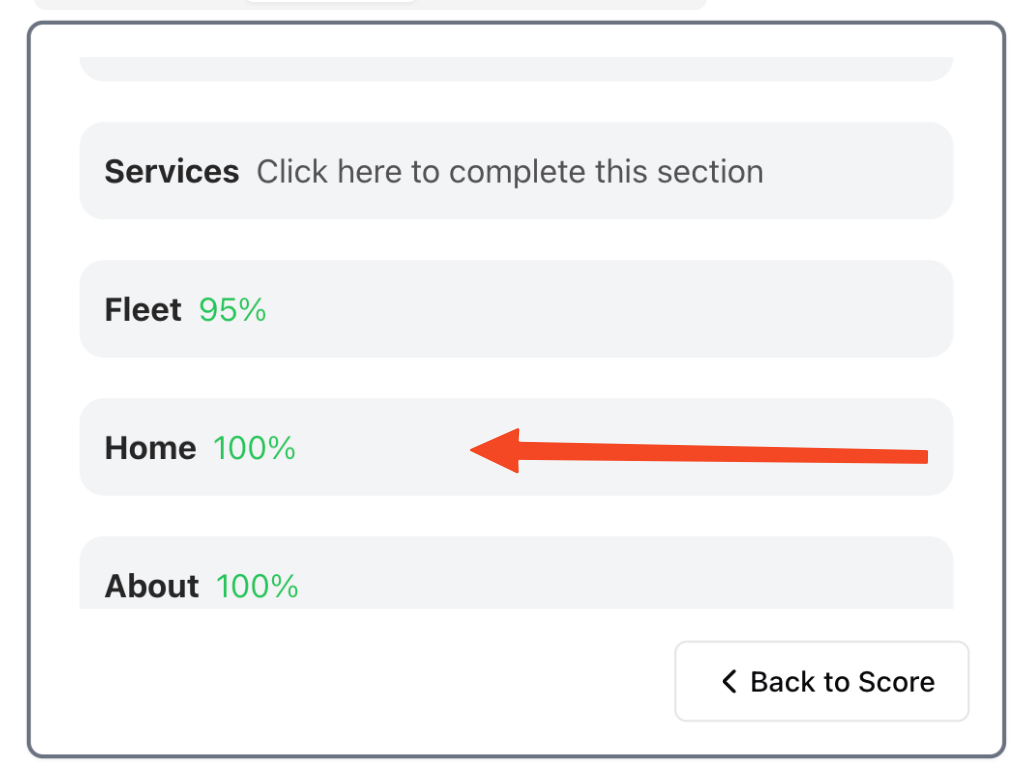
Click on "home" in the navigation menu to access your home page settings.
### 2. Navigate to Home Page
Click on "home" in the navigation menu to access your home page settings.
 ### 3. Customize Your Content
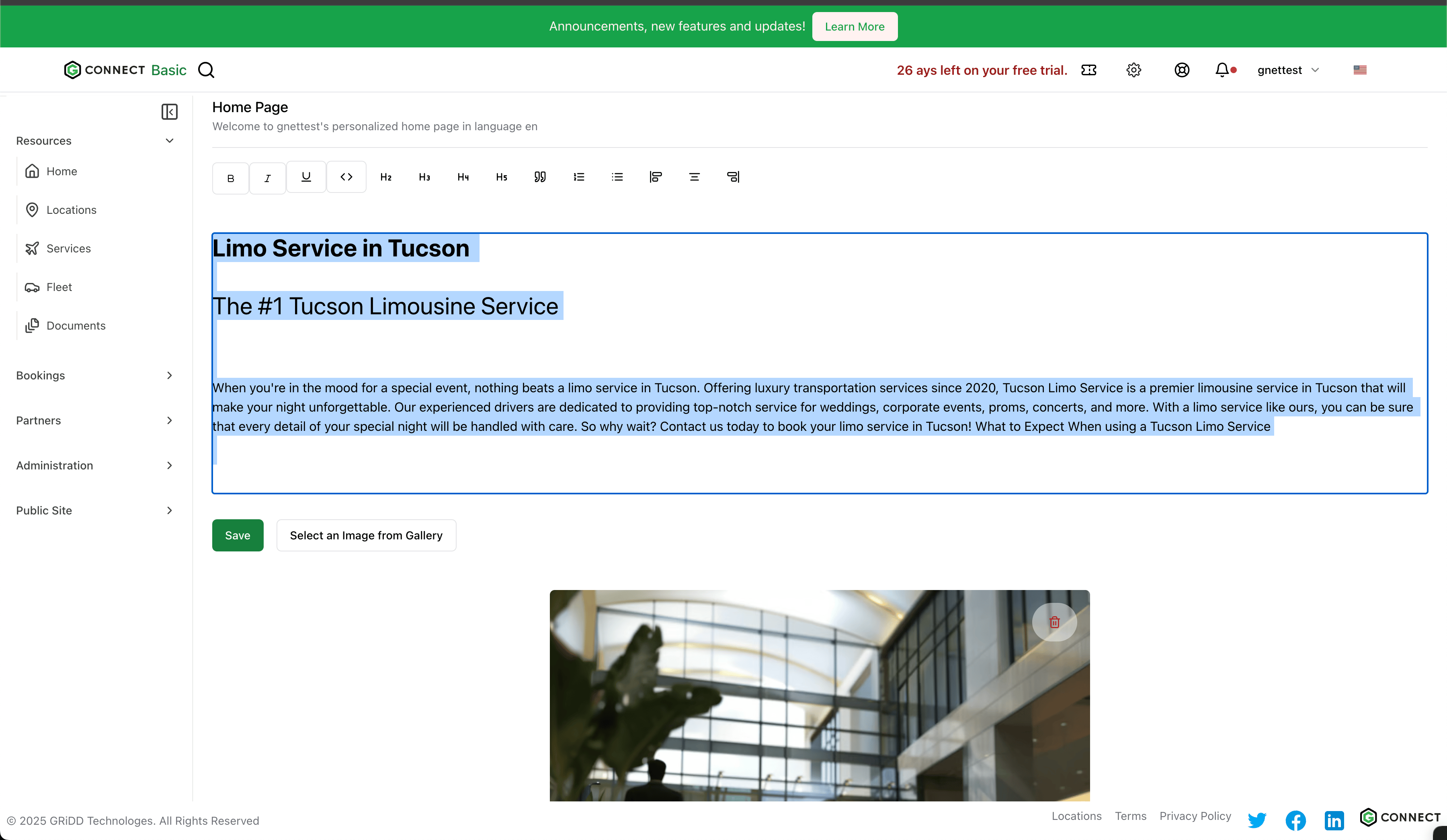
Add your business description, mission statement, and key services. This content will appear on your public home page.
### 3. Customize Your Content
Add your business description, mission statement, and key services. This content will appear on your public home page.
 ### 4. Add Visual Content
Enhance your page with professional images:
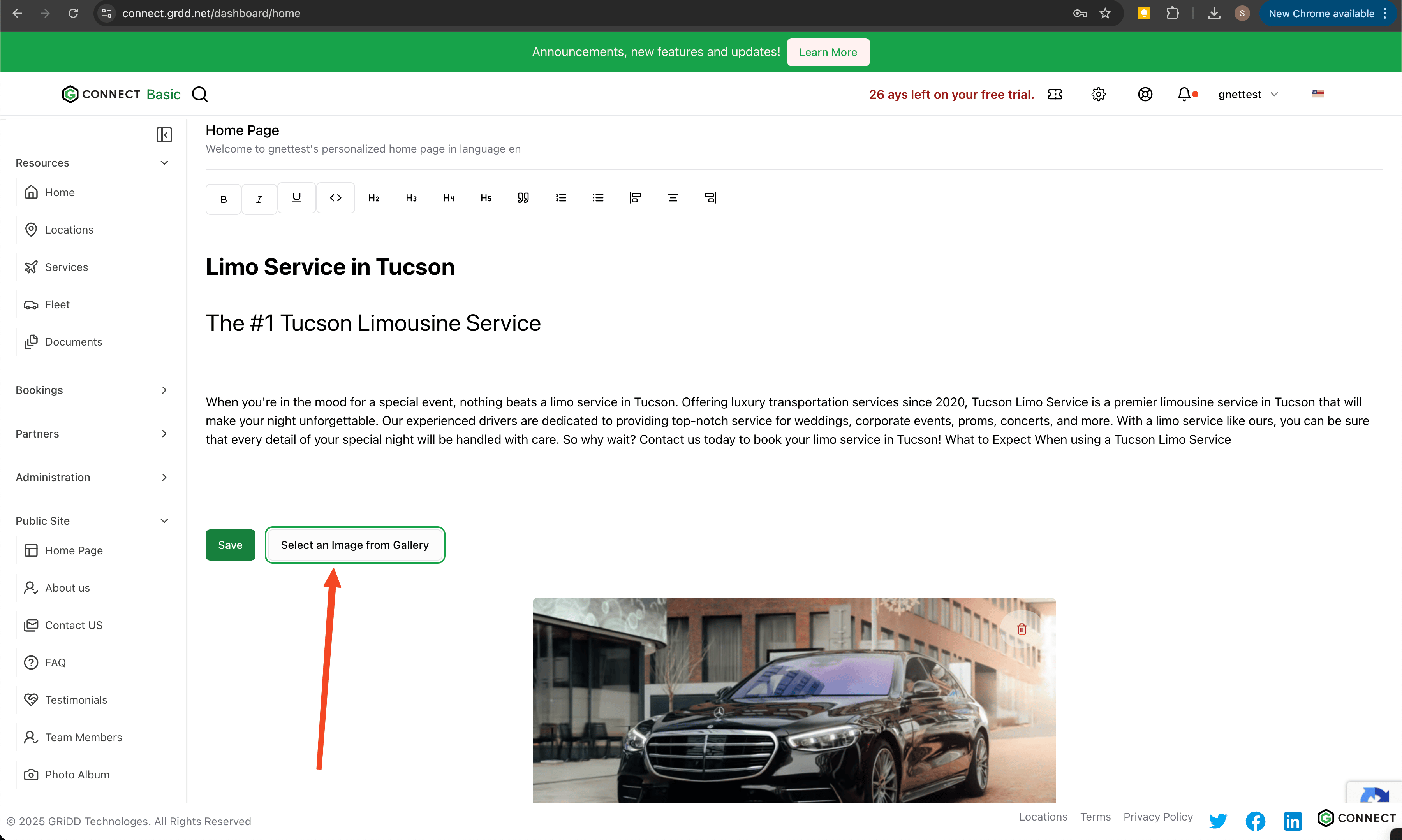
1. Click "Select an Image from Gallery" to add photos
### 4. Add Visual Content
Enhance your page with professional images:
1. Click "Select an Image from Gallery" to add photos
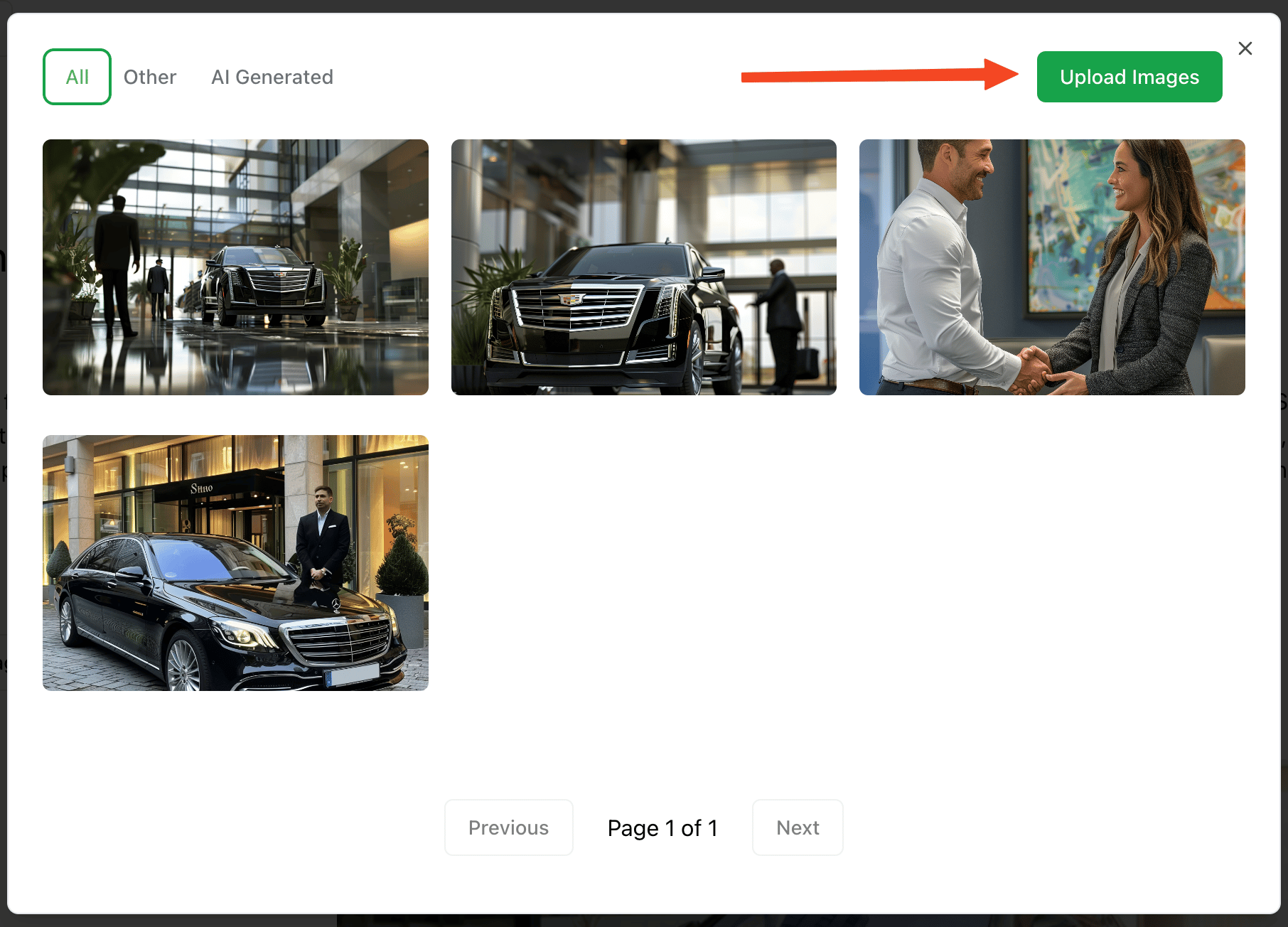
 ### 5. Image Management
You have two options for adding images:
* Upload new images from your device
* Select from your previous uploads
### 5. Image Management
You have two options for adding images:
* Upload new images from your device
* Select from your previous uploads
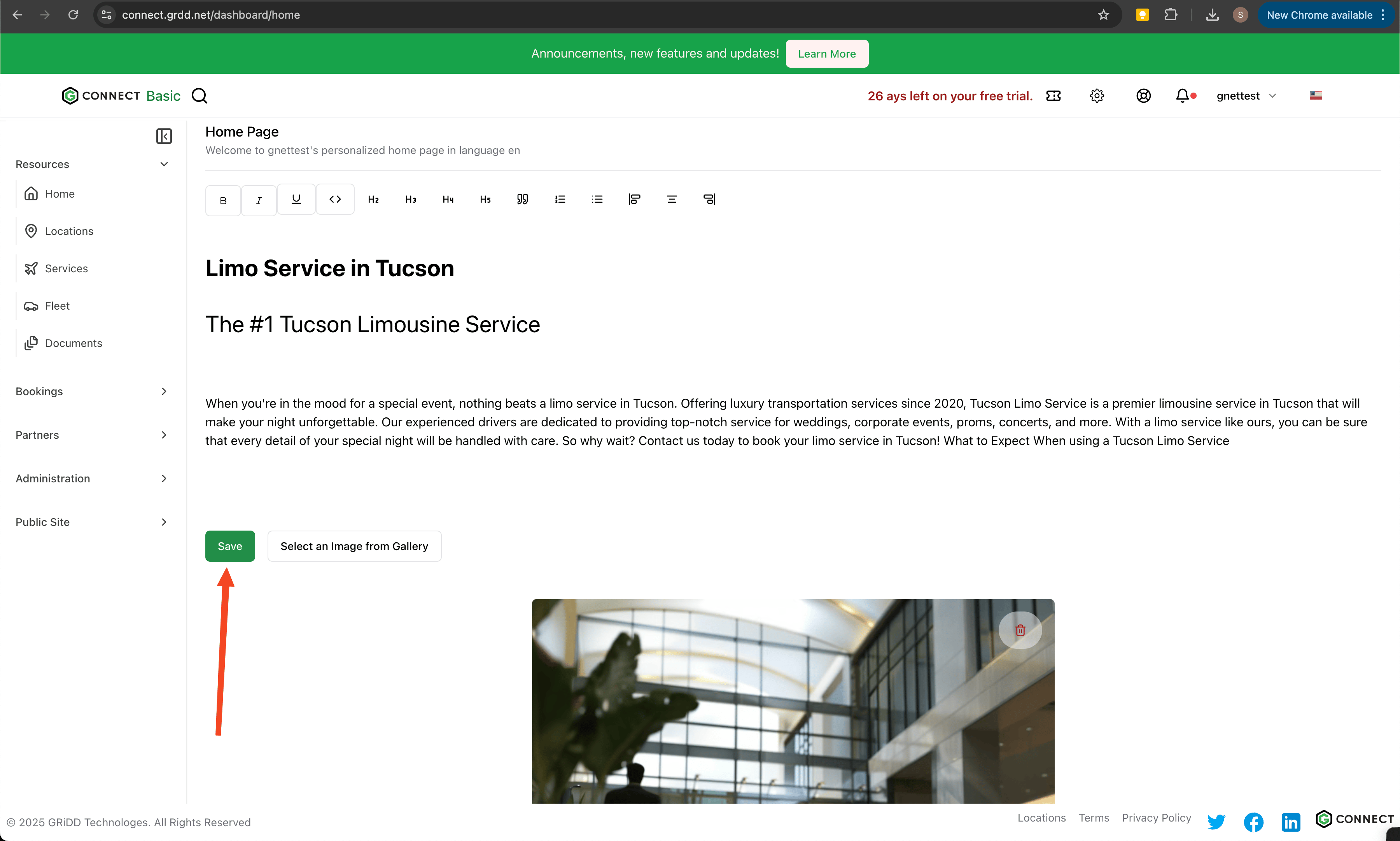
 ### 6. Save Your Changes
Click "save" to apply your updates.
### 6. Save Your Changes
Click "save" to apply your updates.
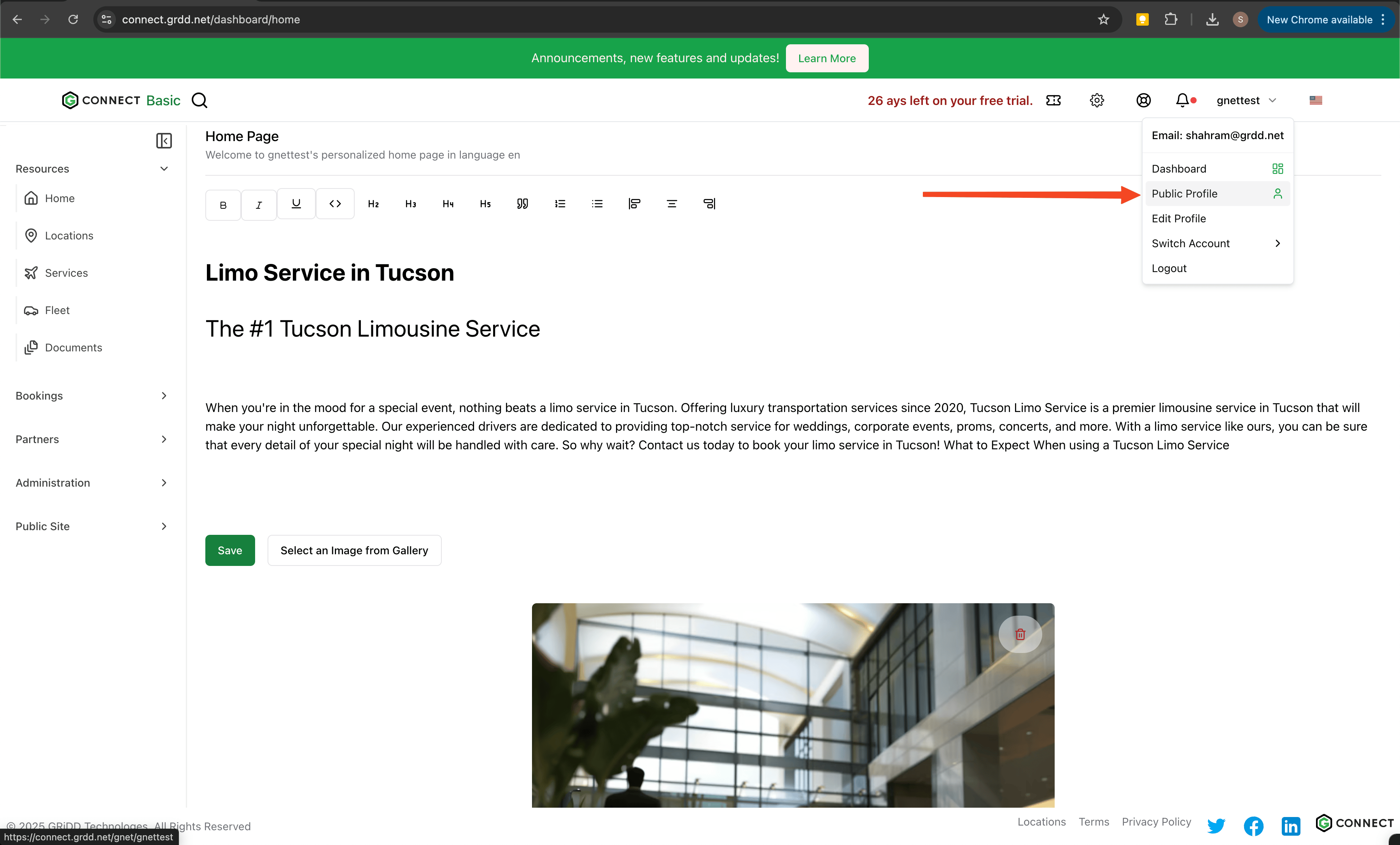
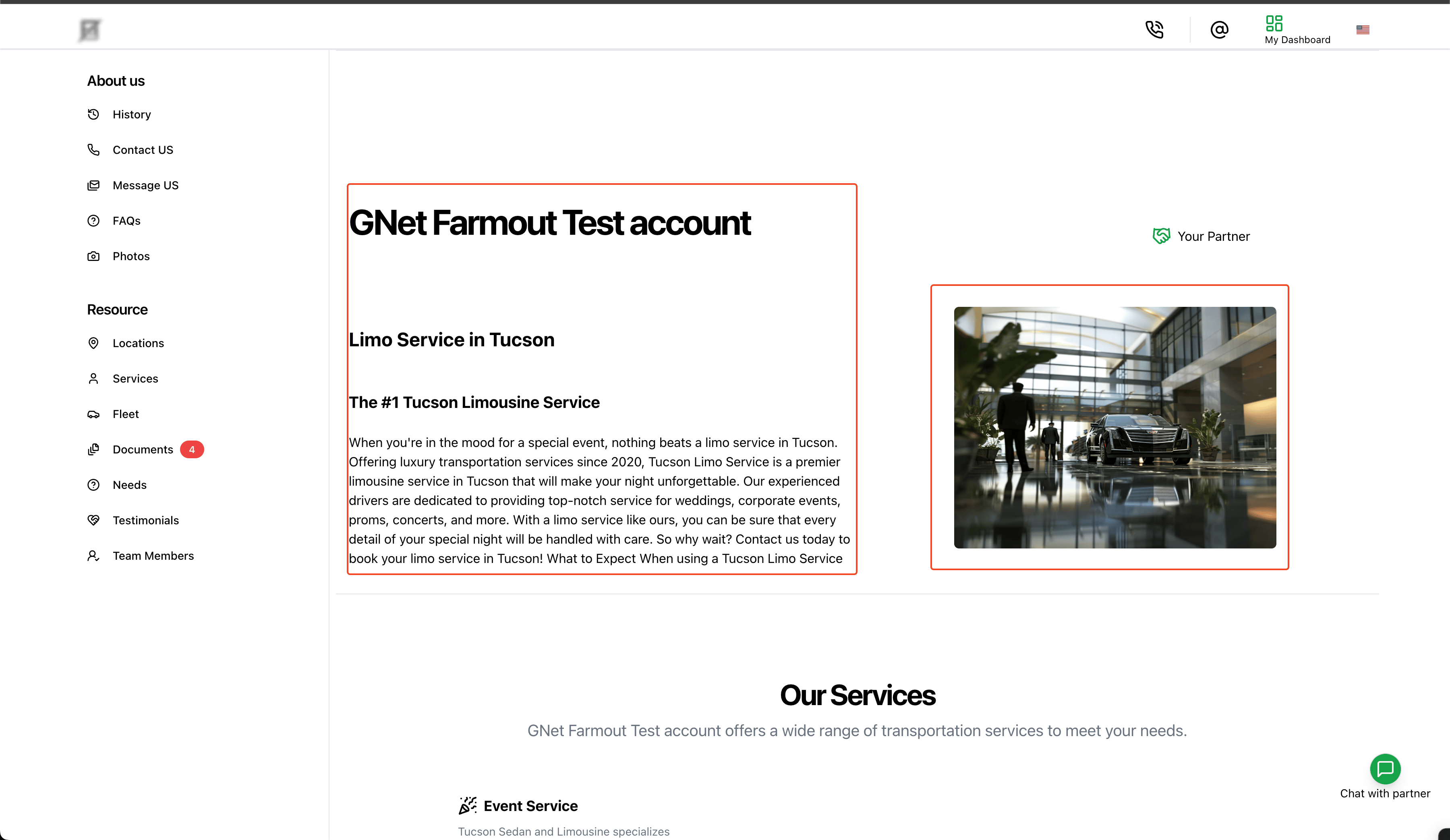
 ### 7. Preview Your Page
Click on "public profile" to view your changes as visitors will see them.
### 7. Preview Your Page
Click on "public profile" to view your changes as visitors will see them.
 ## Best Practices
* Keep your content concise and professional
* Use high-quality images that represent your services
* Update your content regularly to maintain relevance
* Include clear calls-to-action for potential customers
Remember to review your page on both desktop and mobile devices to ensure optimal viewing experience across all platforms.
## Best Practices
* Keep your content concise and professional
* Use high-quality images that represent your services
* Update your content regularly to maintain relevance
* Include clear calls-to-action for potential customers
Remember to review your page on both desktop and mobile devices to ensure optimal viewing experience across all platforms.